Load via URL
@vue-pdf-viewer/viewer can load a PDF directly from a public or remote URL (HTTP/HTTPS) by passing that URL to the src prop.
This approach is a good fit when:
- The file is served from another host or a CDN
- You want to show a fixed document without building a custom API or upload flow
Refer to URL (HTTP/HTTPS) in Basic Usage for how
srctreats URLs, CORS expectations, and related notes.
Create a reusable AppPdfViewer component
After creating the AppPdfViewer component, you can use it in your application by passing different PDF file sources to it.
The AppPdfViewer component will display the PDF file based on the source type.
Refer to Reusable Vue PDF Viewer Component for more information.
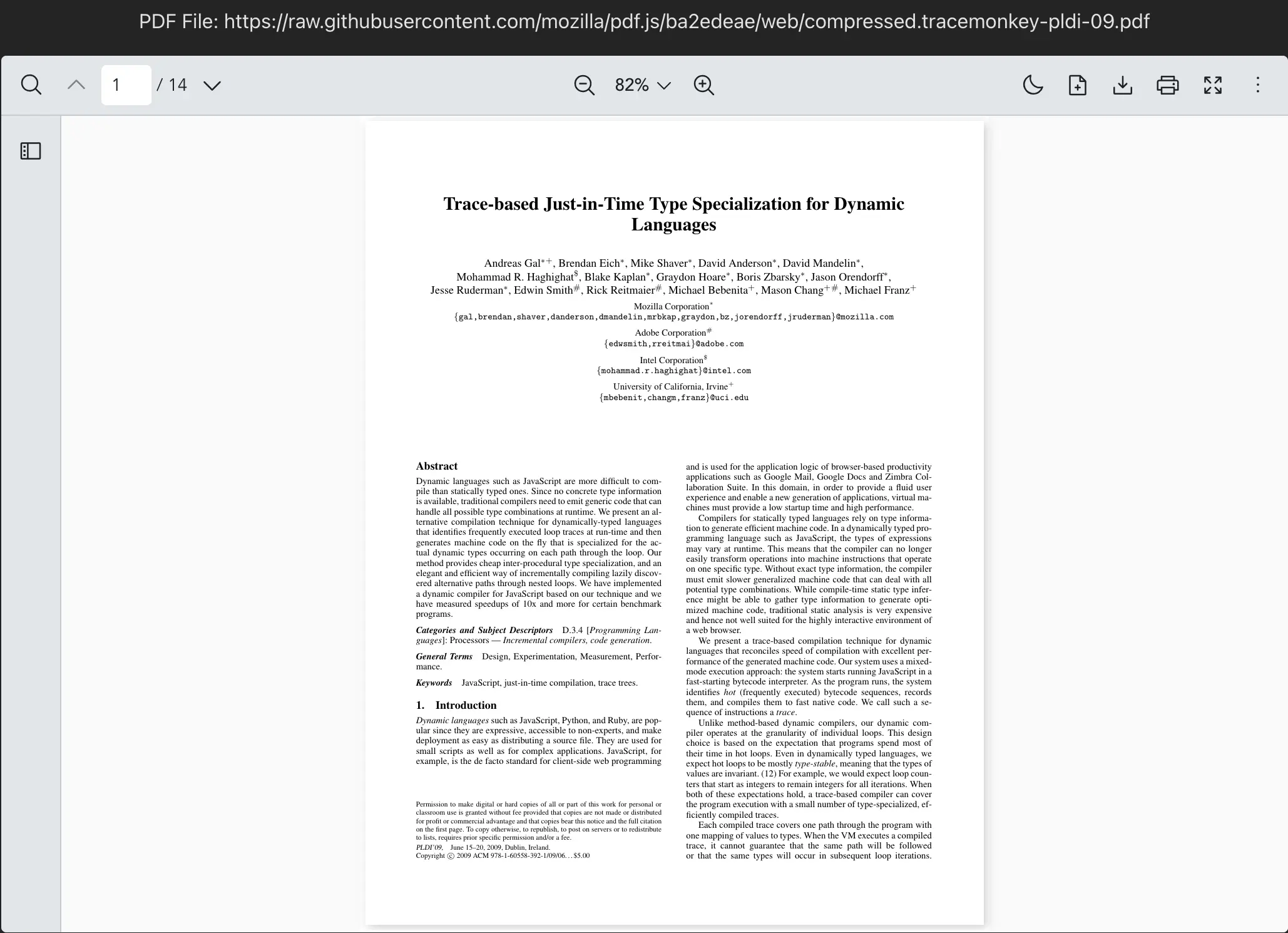
Display a default PDF file via URL
Here is an example of how you can load a PDF file from URL (http/https) with the AppPdfViewer component.
vue
<script setup lang="ts">
import { ref } from "vue";
import AppPdfViewer from "./AppPdfViewer.vue";

const DEFAULT_FILE = "https://raw.githubusercontent.com/mozilla/pdf.js/ba2edeae/web/compressed.tracemonkey-pldi-09.pdf";
const pdfFile = ref<string>(DEFAULT_FILE);
</script>
<template>
  <p>PDF File: {{ pdfFile }}</p>
  <div :style="{ width: '1028px', height: '700px' }">
    <AppPdfViewer :src="pdfFile" />
  </div>
</template>
vue
<script setup>
import { ref } from "vue";
import AppPdfViewer from "./AppPdfViewer.vue";

const DEFAULT_FILE = "https://raw.githubusercontent.com/mozilla/pdf.js/ba2edeae/web/compressed.tracemonkey-pldi-09.pdf";
const pdfFile = ref(DEFAULT_FILE);
</script>
<template>
  <p>PDF File: {{ pdfFile }}</p>
  <div :style="{ width: '1028px', height: '700px' }">
    <AppPdfViewer :src="pdfFile" />
  </div>
</template>
vue
<script lang="ts">
import { defineComponent } from "vue";
import AppPdfViewer from "./AppPdfViewer.vue";

const DEFAULT_FILE = "https://raw.githubusercontent.com/mozilla/pdf.js/ba2edeae/web/compressed.tracemonkey-pldi-09.pdf";
export default defineComponent({
  data() {
    return {
      pdfFile: DEFAULT_FILE,
    };
  }
});
</script>
<template>
  <p>PDF File: {{ pdfFile }}</p>
  <div :style="{ width: '1028px', height: '700px' }">
    <AppPdfViewer :src="pdfFile" />
  </div>
</template>
vue
<script>
import AppPdfViewer from "./AppPdfViewer.vue";
const DEFAULT_FILE = "https://raw.githubusercontent.com/mozilla/pdf.js/ba2edeae/web/compressed.tracemonkey-pldi-09.pdf";
export default {
  data() {
    return {
      pdfFile: DEFAULT_FILE,
    };
  }
}
</script>
<template>
  <p>PDF File: {{ pdfFile }}</p>
  <div :style="{ width: '1028px', height: '700px' }">
    <AppPdfViewer :src="pdfFile" />
  </div>
</template>