
Load via Blob
@vue-pdf-viewer/viewer can display a PDF when src is a Blob URL (for example blob:https://…). Create one with URL.createObjectURL() from a Blob you retrieve from fetch, a file input, or another API.
This approach is a good fit when:
- You load bytes from your own API or after a user picks a file
- A direct PDF URL is unreliable when CORS prevents loading the document or the server rejects HEAD requests. See URL (HTTP/HTTPS) in Basic Usage.
- You build or receive the PDF in memory and need a temporary object URL
Refer to Blob (from API or file upload) in Basic Usage for how
srcworks with Blob URLs, cleanup withURL.revokeObjectURL, and related notes.
Create a reusable AppPdfViewer component
After creating the AppPdfViewer component, you can use it in your application by passing different PDF file sources to it.
The AppPdfViewer component will display the PDF file based on the source type.
Refer to Reusable Vue PDF Viewer Component for more information.
Display a default PDF file via Blob
The example below fetches PDF bytes, wraps them in a Blob URL, and passes that URL to AppPdfViewer as src.
<script setup lang="ts">
import { onMounted, onBeforeUnmount, ref, reactive } from "vue";
import AppPdfViewer from "./components/AppPdfViewer.vue";

const pdfFile = ref<string>("");

onMounted(async () => {
  // Fetch a PDF from an API
  const response = await fetch(
    "/Monterail - State_of_vue.js_2021_report_short_annotated.pdf"
  );
  const blob = await response.blob();
  pdfFile.value = URL.createObjectURL(blob);
});

onBeforeUnmount(() => {
  // Clean up the Blob URL to avoid memory leaks
  if (pdfFile.value) {
    URL.revokeObjectURL(pdfFile.value);
  }
});
</script>
<template>
  <p>PDF File: {{ pdfFile }}</p>
  <div :style="{ width: '1028px', height: '700px' }">
    <AppPdfViewer v-if="pdfFile" :src="pdfFile" />
  </div>
</template><script setup>
import { ref } from "vue";
import AppPdfViewer from "./components/AppPdfViewer.vue";
const pdfFile = ref("");
onMounted(async () => {
// Fetch a PDF from an API
const response = await fetch(
"/Monterail - State_of_vue.js_2021_report_short_annotated.pdf"
);
const blob = await response.blob();
pdfFile.value = URL.createObjectURL(blob);
});
onBeforeUnmount(() => {
// Clean up the Blob URL to avoid memory leaks
if (pdfFile.value) {
URL.revokeObjectURL(pdfFile.value);
}
});
</script>
<template>
<p>PDF File: {{ pdfFile }}</p>
<div :style="{ width: '1028px', height: '700px' }">
<AppPdfViewer v-if="pdfFile" :src="pdfFile" />
</div>
</template><script lang="ts">
import { defineComponent } from "vue";
import AppPdfViewer from "./components/AppPdfViewer.vue";
export default defineComponent({
data() {
return {
pdfFile: "" as string,
};
},
async mounted() {
// Fetch a PDF from an API
const response = await fetch(
"/Monterail - State_of_vue.js_2021_report_short_annotated.pdf",
);
const blob = await response.blob();
this.pdfFile = URL.createObjectURL(blob);
},
beforeUnmount() {
// Clean up the Blob URL to avoid memory leaks
if (this.pdfFile) {
URL.revokeObjectURL(this.pdfFile);
}
},
});
</script>
<template>
<p>PDF File: {{ pdfFile }}</p>
<div :style="{ width: '1028px', height: '700px' }">
<AppPdfViewer v-if="pdfFile" :src="pdfFile" />
</div>
</template><script>
import AppPdfViewer from "./components/AppPdfViewer.vue";
export default {
data() {
return {
pdfFile: "",
};
},
async mounted() {
// Fetch a PDF from an API
const response = await fetch(
"/Monterail - State_of_vue.js_2021_report_short_annotated.pdf"
);
const blob = await response.blob()
this.pdfFile = URL.createObjectURL(blob)
},
beforeUnmount() {
// Clean up the Blob URL to avoid memory leaks
if (this.pdfFile) {
URL.revokeObjectURL(this.pdfFile)
}
},
});
</script>
<template>
<p>PDF File: {{ pdfFile }}</p>
<div :style="{ width: '1028px', height: '700px' }">
<AppPdfViewer v-if="pdfFile" :src="pdfFile" />
</div>
</template>
onBeforeUnmountensures the Blob URL is revoked to prevent memory leaks.
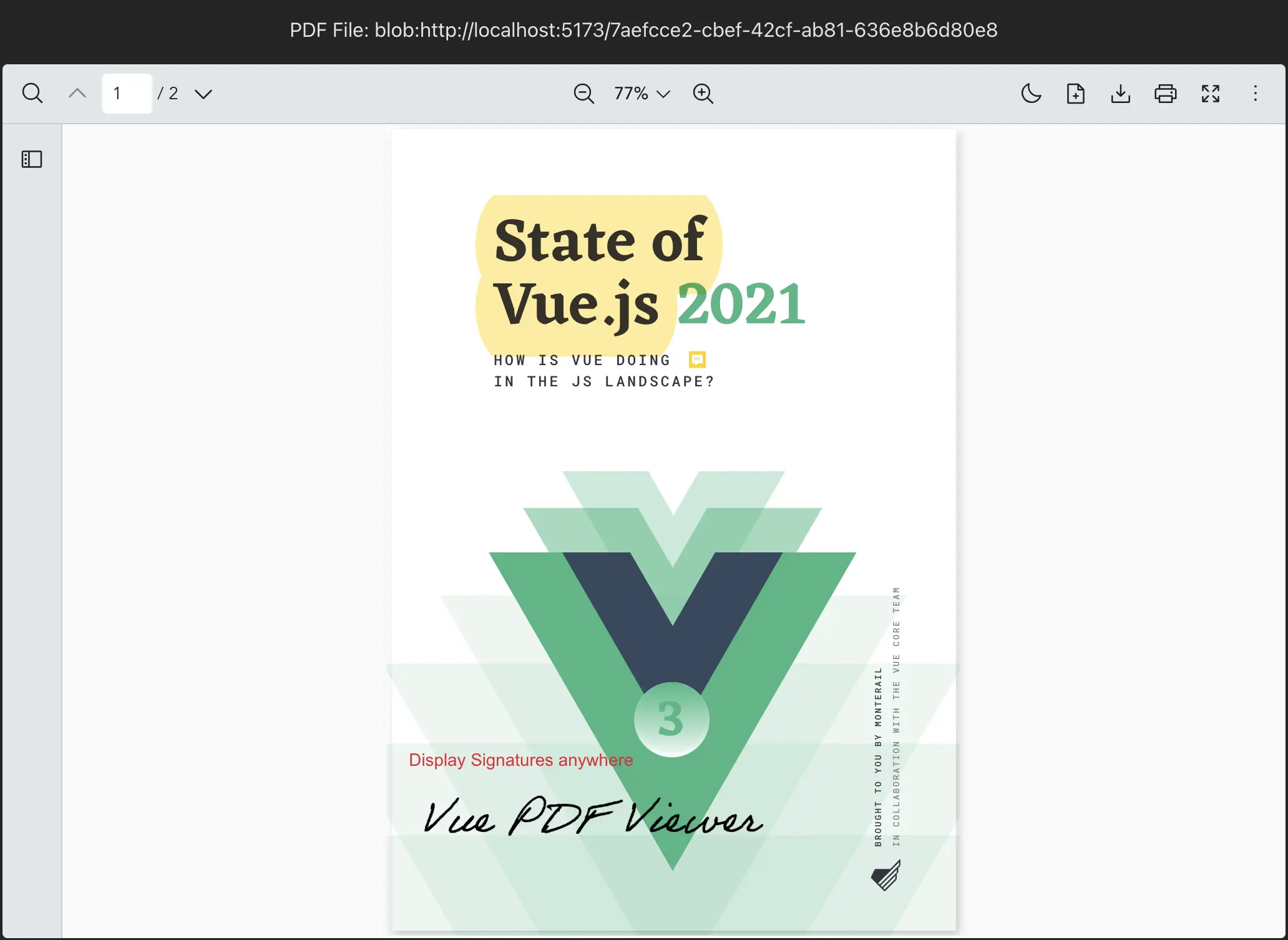
Remark: For an overview of every src type (URL, Blob, project file path), see Handling source of PDF file.