
Load via Internal File Path
@vue-pdf-viewer/viewer can load a PDF when src is a path that your Vite app serves. For example, a URL rooted at your site (often a file in public/) or a project path Vite resolves at build time (such as under src/assets).
This approach is a good fit when:
- The document is part of your app bundle or static hosting, not fetched from another domain
- You want a stable path in dev and production without managing Blob URLs or remote URLs
- You pick
public/for files copied to the output as static assets, orsrc/assetswhen Vite should process the file, depending on how you ship it
Refer to Internal File Path in Basic Usage for how
srcworks with Vite paths,publicvssrc/assets, and related notes.
Create a reusable AppPdfViewer component
After creating the AppPdfViewer component, you can use it in your application by passing different PDF file sources to it.
The AppPdfViewer component will display the PDF file based on the source type.
Refer to Reusable Vue PDF Viewer Component for more information.
Display a default PDF file via Internal File Path
With Vite, there are 2 ways to load a PDF file via an Internal File Path:
- Place the PDF files in the
publicdirectory if they do not need processing by Vite. Files in the public directory are served as-is. - Use the
src/assetsdirectory for PDFs that need to be processed or optimized by Vite.
Here is an example of how you can load a PDF file from an Internal File Path from the public directory with the AppPdfViewer component.
<script setup lang="ts">
import { ref } from "vue";
import AppPdfViewer from "./components/AppPdfViewer.vue";

const DEFAULT_FILE = "/Sample-PDF-Form.pdf"; // The file is in the public directory
const pdfFile = ref<string>(DEFAULT_FILE);
</script>
<template>
  <p>PDF File: {{ pdfFile }}</p>
  <div :style="{ width: '1028px', height: '700px' }">
    <AppPdfViewer :src="pdfFile" />
  </div>
</template><script setup>
import { ref } from "vue";
import AppPdfViewer from "./components/AppPdfViewer.vue";
const DEFAULT_FILE = "/Sample-PDF-Form.pdf"; // The file is in the public directory
const pdfFile = ref(DEFAULT_FILE);
</script>
<template>
<p>PDF File: {{ pdfFile }}</p>
<div :style="{ width: '1028px', height: '700px' }">
<AppPdfViewer :src="pdfFile" />
</div>
</template><script lang="ts">
import { defineComponent } from "vue";
import AppPdfViewer from "./components/AppPdfViewer.vue";
export default defineComponent({
data() {
return {
pdfSrc: "/Sample-PDF-Form.pdf",
};
}
});
</script>
<template>
<p>PDF File: {{ pdfFile }}</p>
<div :style="{ width: '1028px', height: '700px' }">
<AppPdfViewer :src="pdfFile" />
</div>
</template><script setup>
import AppPdfViewer from "./components/AppPdfViewer.vue";
export default {
data() {
return {
pdfFile: "/Sample-PDF-Form.pdf",
}
}
}
</script>
<template>
<p>PDF File: {{ pdfFile }}</p>
<div :style="{ width: '1028px', height: '700px' }">
<AppPdfViewer :src="pdfFile" />
</div>
</template>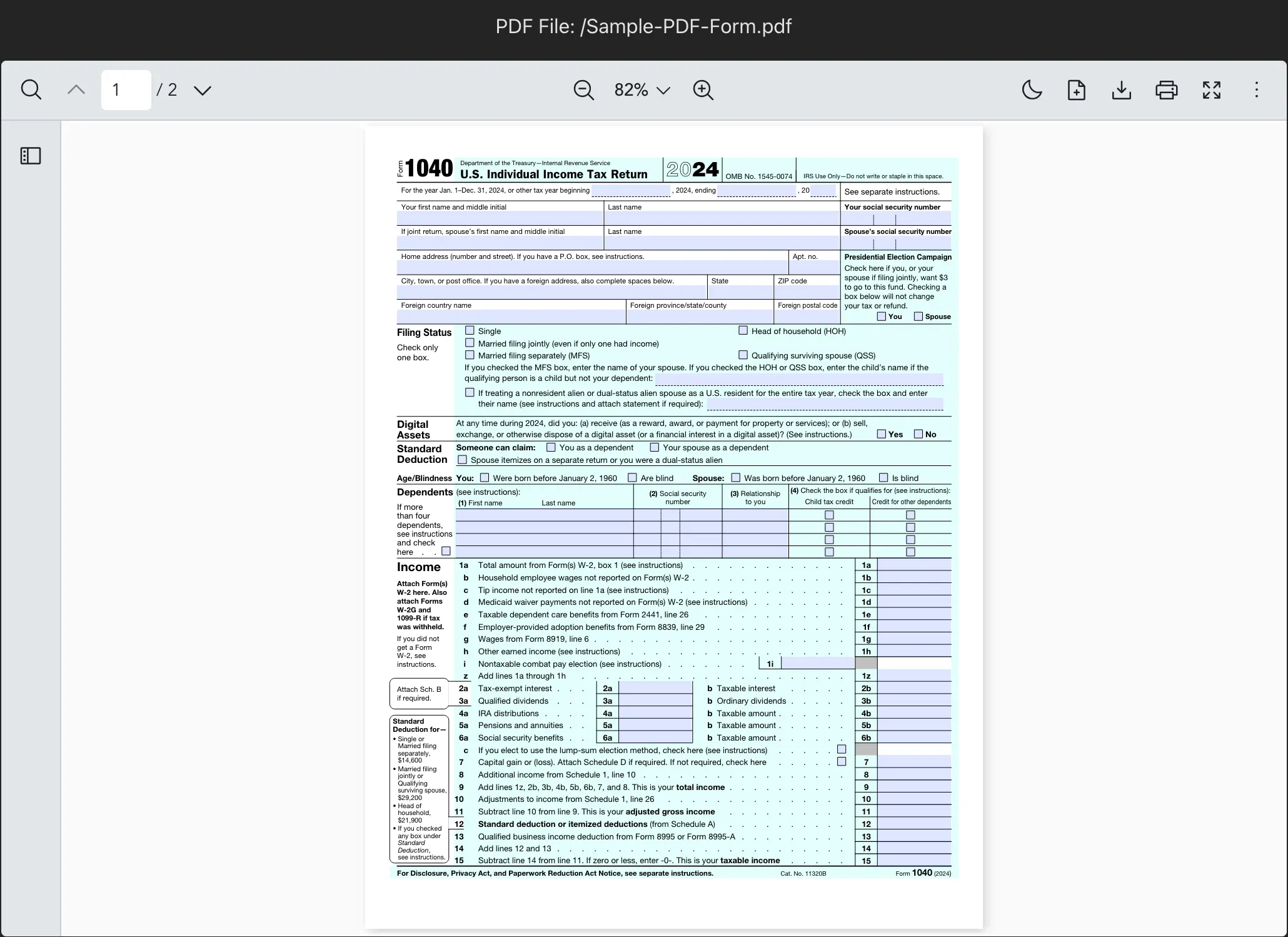
Remark: For an overview of every src type (URL, Blob, project file path), see Handling source of PDF file.